MyPay DFAS W-2 and 1099-R – How to Download Your Tax Forms
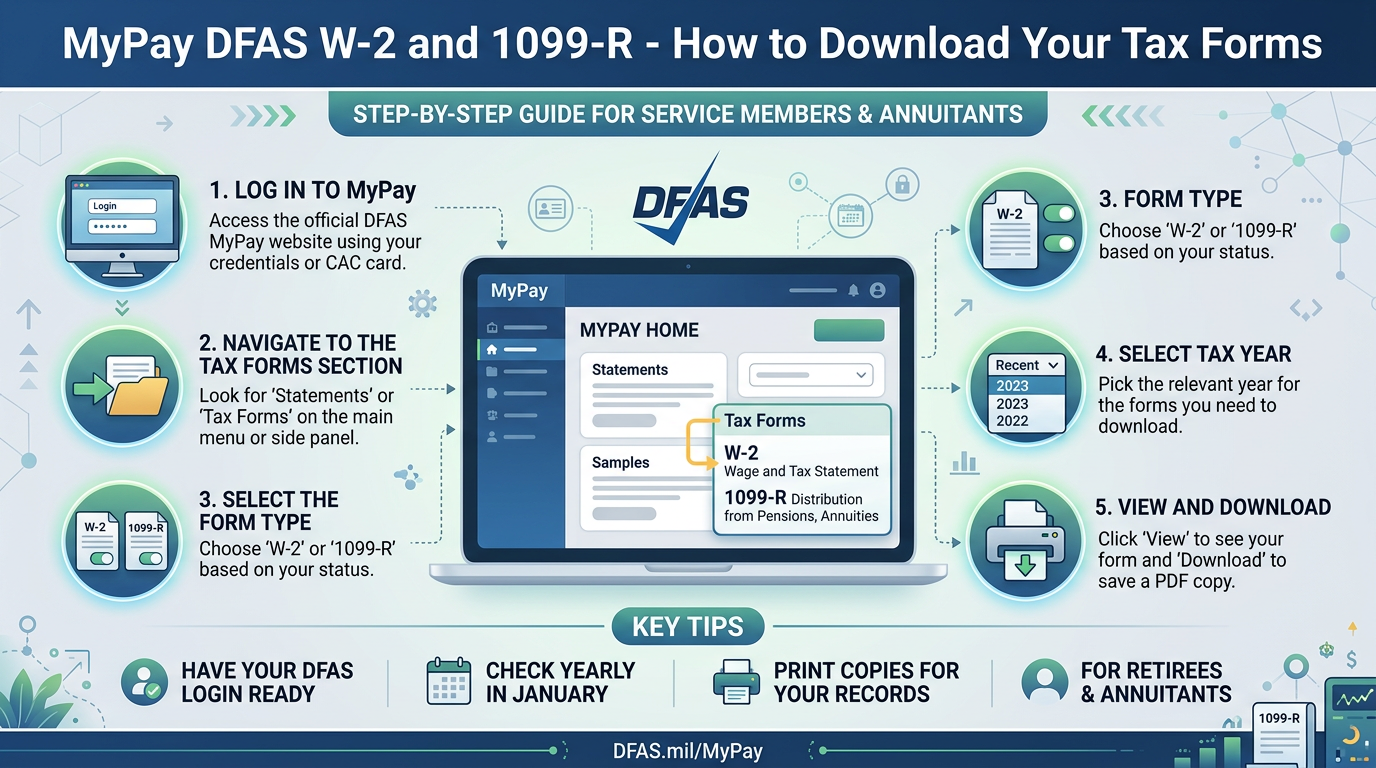
Tax documents are important for preparing your annual income tax return, checking reported earnings, and keeping accurate financial records. The Defense Finance and Accounting Service (DFAS) provides eligible military members, federal civilian employees, retirees, and annuitants with access to certain tax statements through its myPay online system.
Two commonly requested documents are the IRS Form W-2 and IRS Form 1099-R. Although both report income information, they serve different purposes and apply to different types of payments.
If you need to find your DFAS tax statement, this guide explains how to access it through myPay, download or print a copy, request a replacement, and address common problems.
What Is MyPay DFAS Tax Statement Access?
MyPay is an online service operated by DFAS that allows eligible customers to access pay-related records and documents.
One of its useful features is the ability to view and retrieve available annual tax statements without waiting for a paper copy to arrive by mail. Depending on your account, you may be able to access:
- Form W-2 for military or eligible federal civilian employment income.
- Form 1099-R for military retirement or annuity distributions.
- Other tax-related forms made available for your account, such as certain 1095 documents.
The documents displayed depend on your customer category and the type of payment administered by DFAS.
What Is the Difference Between a MyPay DFAS W-2 and a1099-R?
Although both forms report income, they are not interchangeable. The correct document depends on the type of income you received.
What Is a W-2?
IRS Form W-2, also called the Wage and Tax Statement, reports wages and certain other compensation paid by an employer during a tax year.
Eligible military members and federal civilian employees whose payroll is handled through DFAS can generally access their W-2 through myPay. A W-2 commonly includes:
- Total wages, tips, and other compensation.
- Federal income tax withheld.
- Social Security wages and withholding, where applicable.
- Medicare wages and withholding.
- State wages and tax withholding, where applicable.
- Employer identification information.
You use the information on your W-2 when preparing your annual federal and, where applicable, state income tax returns.
What Is a 1099-R?
IRS Form 1099-R reports certain distributions from pensions, retirement plans, annuities, and other qualifying arrangements.
For DFAS customers, this form is commonly associated with military retired pay and eligible annuity payments. A 1099-R may show:
- Gross distribution.
- Taxable amount.
- Federal income tax withheld.
- Distribution-related codes.
- Other information relevant to the reported payment.
Military retirees and eligible Survivor Benefit Plan (SBP) annuitants generally use this document when reporting applicable retirement or annuity income.
W-2 vs. 1099-R: Quick Comparison
| Feature | W-2 | 1099-R |
|---|---|---|
| Main purpose | Reports wages and compensation | Reports qualifying retirement or annuity distributions |
| Common DFAS users | Eligible military members and civilian employees | Military retirees and eligible annuitants |
| Income type | Employment compensation | Retirement and annuity distributions |
| Tax withholding | Reported where applicable | Reported where applicable |
| Used for tax filing | Yes | Yes |
If you received both employment income and qualifying retirement distributions during the same tax year, you may receive both forms. Your individual circumstances determine which documents apply.
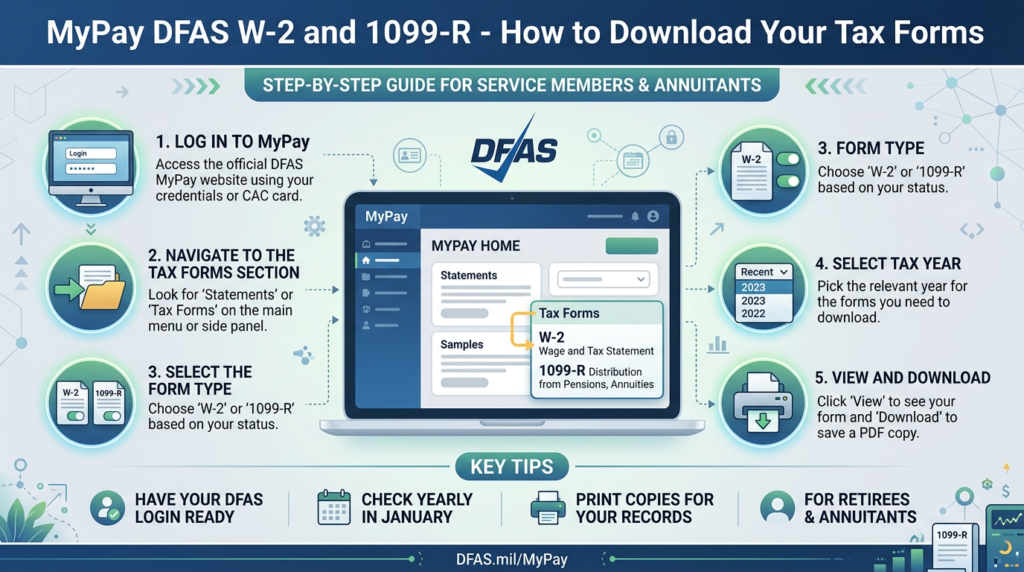
How to Get Your W-2 From MyPay DFAS
If you are an eligible military member or federal civilian employee, you can generally retrieve your W-2 online through myPay. Follow these steps:
- Open your browser and visit MyPay DFAS Login page
- Enter your myPay Login ID and password.
- Complete any required two-factor authentication.
- Accept the Terms of Use Agreement if prompted.
- Select Tax Statement from the available account options.
- Find the W-2 for the tax year you need.
- Open the statement.
- Use the Printer Friendly option to print or save a copy.
The menu labels and layout may change as DFAS updates myPay. Follow the instructions displayed in your account.
If you cannot sign in, see our separate MyPay DFAS Login guide. Users who have forgotten their credentials can also follow our password and Login ID recovery guide.
How to Download Your Military Retiree 1099-R From MyPay
Military retirees and eligible annuitants can access available 1099-R statements through myPay. To retrieve your document:
- Visit the DFAS myPay login page.
- Sign in using your Login ID and password.
- Complete any required identity verification.
- Open the Statements section or the relevant tax document menu.
- Select Tax Statement 1099R.
- Choose the tax year you need, if multiple statements are available.
- Select the printer-friendly option.
- Save the document as a PDF or print a physical copy.
Keep a copy in a secure location so you can refer to it when preparing your tax return.
The number of previous tax years available can depend on the document type and customer category. Check the statements displayed in your account or the current DFAS tax document guidance if you need an older form.
When Are MyPay DFAS Tax Forms Available?
DFAS generally makes annual tax statements available beginning in January, although some retirement-related tax documents may become available earlier.
The timing depends on the form, customer category, and annual tax processing schedule. For example:
- Military and eligible civilian W-2 forms are generally made available during the annual tax document period.
- Military retiree and annuitant 1099-R statements may be available through myPay before paper copies are mailed.
- Certain 1095 tax documents follow their own availability and distribution arrangements.
DFAS publishes tax document availability announcements when statements are ready.
If your form is not showing, check the official DFAS tax documents page before assuming that your account has a problem.
How to Get a Previous Year’s W-2 or 1099-R
You may need an older tax statement when preparing an amended return, responding to an IRS notice, or reviewing your financial records.
DFAS provides access to certain prior-year documents through myPay. The number of years available depends on the document and account type. To check for an older form:
- Sign in to your myPay account.
- Open the Tax Statement section.
- Look for the year selection or list of available documents.
- Select the tax year you need.
- Download or print the statement.
If the required year is not available, you may be able to request a replacement through AskDFAS.
DFAS also provides specific guidance for military W-2 and retiree 1099-R reissue requests. Check the current instructions before submitting a request.
How to Request a Replacement W-2 or 1099-R
If you cannot retrieve your tax form through myPay, DFAS provides other ways to request a copy.
Option 1: Submit an Online Request Through AskDFAS
AskDFAS provides secure online request forms for certain duplicate tax statements. The general process is:
- Visit the official DFAS tax statement reissue page.
- Choose the appropriate request option for a W-2 or 1099-R.
- Follow the form instructions.
- Provide the identity and mailing information requested through the secure government form.
- Submit your request.
- Keep the confirmation or ticket number for reference.
DFAS indicates that online replacement requests are typically processed and mailed within approximately 5–10 business days, although processing time may vary.
Option 2: Request a W-2 Through Your Payroll Office
If you are an active military member and need help with a W-2, your military finance office may be able to assist.
Eligible federal civilian employees should contact their agency’s Civilian Pay Customer Service Representative.
If you are an Air Force or Space Force member, follow the current service-specific DFAS guidance for military pay support.
Option 3: Request a 1099-R by Phone
Military retirees and annuitants may use the DFAS retired pay customer service options to request a replacement 1099-R.
The official DFAS tax information page provides the current telephone instructions and automated self-service options.
Use the contact details published by DFAS rather than relying on an old telephone number found on an unofficial website.
What If Your MyPay W-2 or 1099-R Is Missing?
A missing tax document can be frustrating, particularly when you need to complete a tax return. Before submitting a duplicate request, consider the following possibilities.
1. The Tax Statement Has Not Been Released
DFAS does not make every tax document available at the same time. Check the annual tax statement announcement to confirm whether your form has been released.
2. You Are Looking for the Wrong Form
Employees generally look for a W-2, while military retirees and eligible annuitants generally look for a 1099-R. Check the type of payment you received and select the appropriate document.
3. Your Mailing Address Is Outdated
If you are expecting a paper statement, an old mailing address could prevent you from receiving it. Eligible users can review or update their address through the appropriate DFAS or agency process.
Military members may need to update their contact information through milConnect and DEERS, while eligible civilian employees can use the relevant myPay account settings.
4. You Cannot Access Your MyPay Account
If you have forgotten your Login ID or password, use the recovery options on the DFAS myPay homepage. You do not necessarily need to request a duplicate tax form simply because you cannot sign in.
5. The Document Is Not Available for Your Account
Not every DFAS customer receives every tax document through myPay. Your payment category and the organization responsible for administering your payroll determine which forms are available.
If you cannot find the document you expect, contact the appropriate payroll office or DFAS support service.
How to Correct Incorrect Information on a W-2 or 1099-R
If your tax form contains an incorrect name, payment amount, withholding figure, or other information, do not change the original document yourself.
Instead, contact the organization responsible for the payment and ask how to request a correction. For DFAS customers, the appropriate contact depends on the form and customer category:
- Military W-2: Contact the relevant military pay support office or use the applicable AskDFAS request process.
- Air Force and Space Force W-2: Follow the current Total Force Service Center or myFSS support instructions.
- Federal civilian W-2: Contact your agency’s Civilian Pay Customer Service Representative.
- Military retiree or annuitant 1099-R: Contact the DFAS retired or annuitant pay support service or submit an appropriate AskDFAS request.
Keep your original tax document and any supporting records. If a corrected form is issued, use the corrected information when preparing or amending your tax return. For questions about how an error affects your tax filing, consult the IRS or a qualified tax professional.
How to Keep Your DFAS Tax Documents Secure
Your W-2 and 1099-R may contain sensitive personal and financial information. Protecting these documents is important. Follow these practices:
- Download documents only from the myPay Login.
- Avoid using public computers to access tax information.
- Store downloaded PDFs in a password-protected or otherwise secure location.
- Do not email tax forms to unknown recipients.
- Avoid uploading documents containing your Social Security number to unofficial websites.
- Sign out after accessing myPay on a shared device.
- Be cautious of messages claiming to offer tax document assistance in exchange for personal information.
For additional protection, DFAS allows eligible users to choose electronic delivery for certain documents through their myPay settings.
MyPay DFAS W-2 and 1099-R Frequently Asked Questions
How do I get my W-2 from DFAS?
Sign in to your myPay account, accept the Terms of Use Agreement if prompted, select Tax Statement, and open the W-2 for the tax year you need. You can then print or save the document.
How do military retirees get a 1099-R?
Military retirees can sign in to myPay and select the Tax Statement 1099R option under the available statement menu. They can view, print, or download available tax years.
Is a 1099-R the same as a military W-2?
No. A W-2 generally reports employment wages, while a 1099-R reports qualifying retirement or annuity distributions. Military retirees commonly receive a 1099-R for their retired pay.
Can I get my DFAS tax form without logging in to myPay?
Yes. DFAS provides AskDFAS online request options for eligible replacement tax documents. Some customers may also use the relevant telephone, payroll office, or mail request process.
How many years of tax statements can I access?
The available history depends on the form and customer category. DFAS provides access to certain current and prior-year tax documents through myPay and offers separate reissue procedures for older forms. Check the current official guidance for your particular document.
What should I do if my W-2 has the wrong amount?
Contact your military pay office or agency payroll representative, depending on your employment category. Do not alter the original W-2 yourself. Follow the appropriate process for obtaining a corrected tax statement.
Can I receive my DFAS tax documents electronically?
Yes. Eligible users can choose electronic delivery for certain documents through their myPay account. The available preferences depend on the document and customer category.
Does myPay provide tax advice?
No. MyPay provides access to payroll and tax documents. For questions about tax filing requirements, deductions, credits, or how to report income, consult the IRS or a qualified tax professional.